Empower teams with powerful tools
Our fully integrated suite of intuitive tools provides back office automation to power front office insights, making firm management more agile, informed, and data-driven.
Request DemoAutomate your firm with an all-in-one, easy-to-use management solution and dedicated support designed for Architecture, Engineering, and Professional Service Firms.


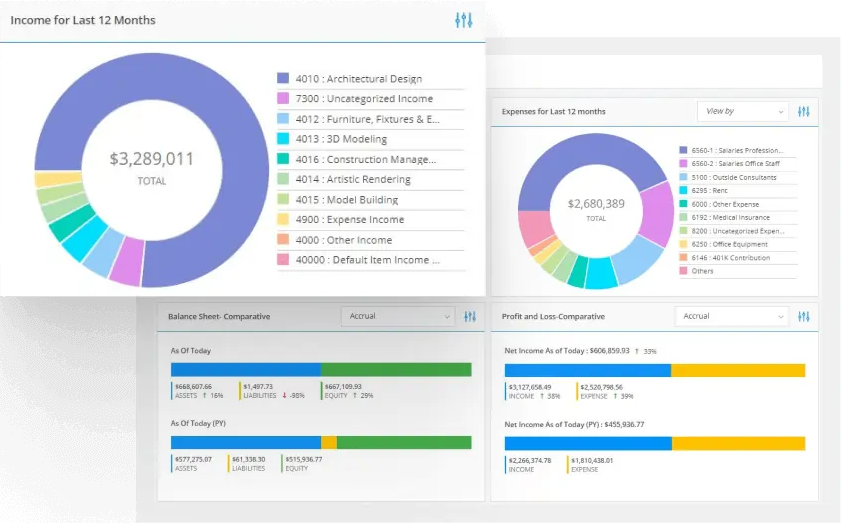
Our fully integrated suite of intuitive tools provides back office automation to power front office insights, making firm management more agile, informed, and data-driven.
Request Demo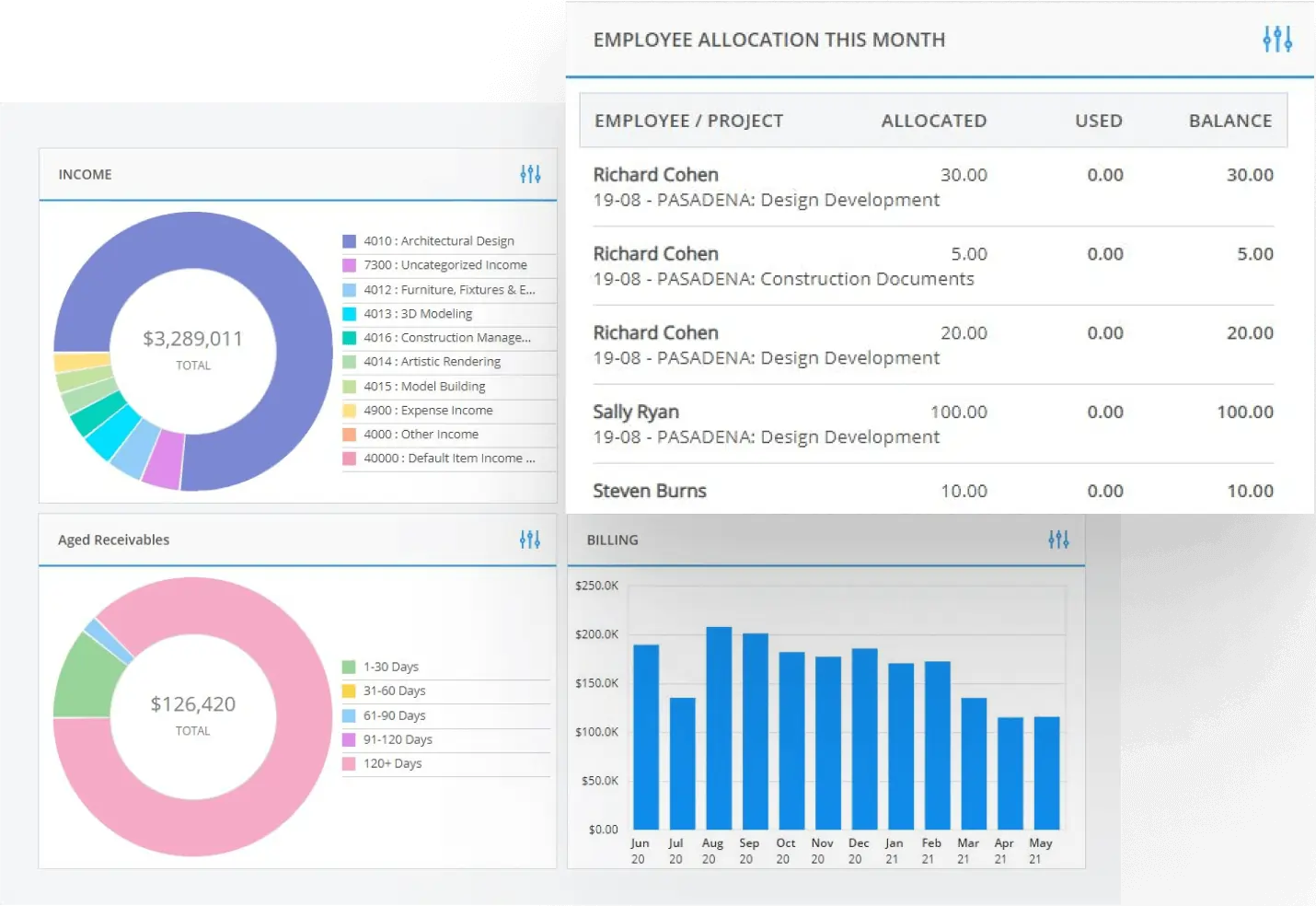
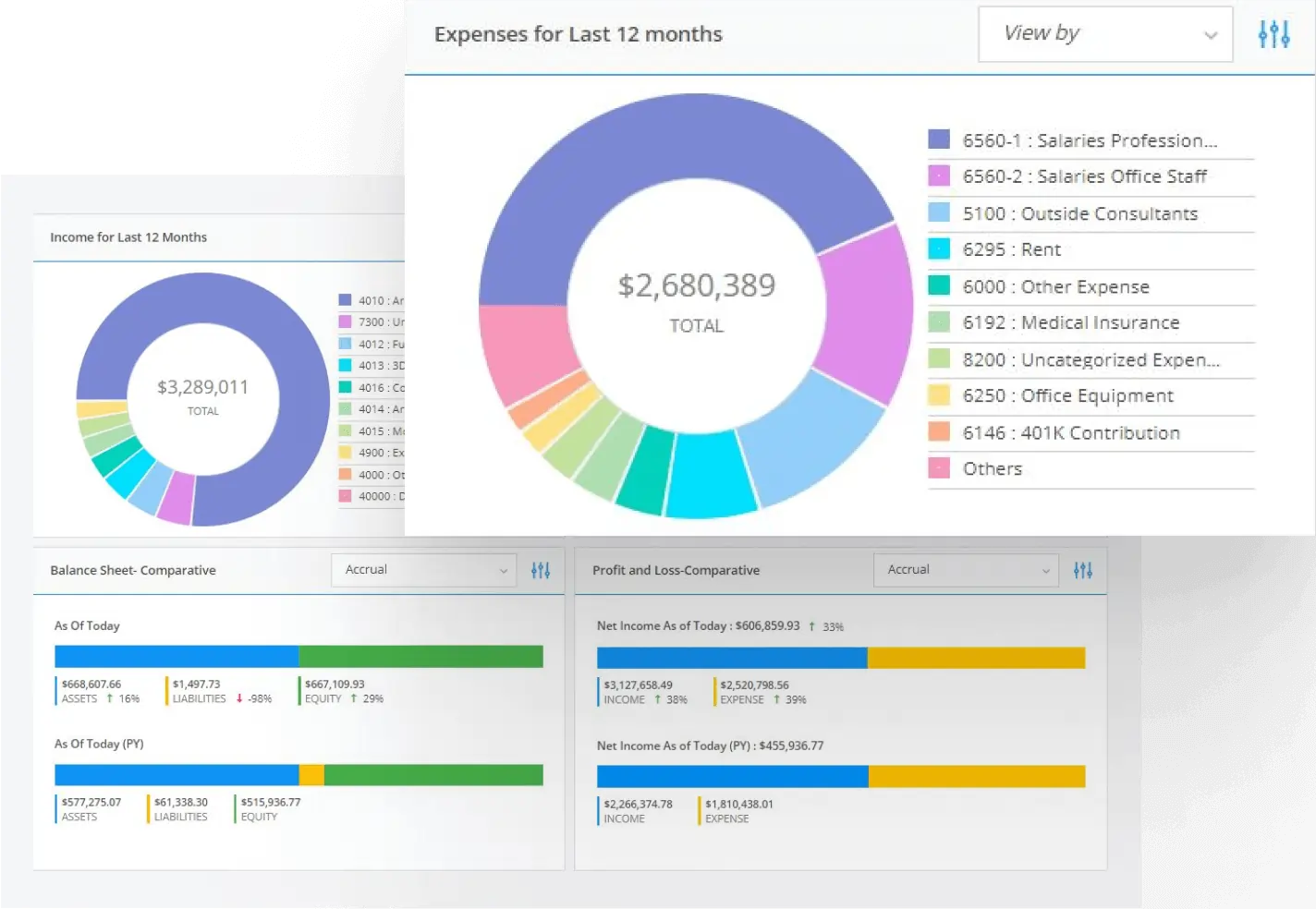
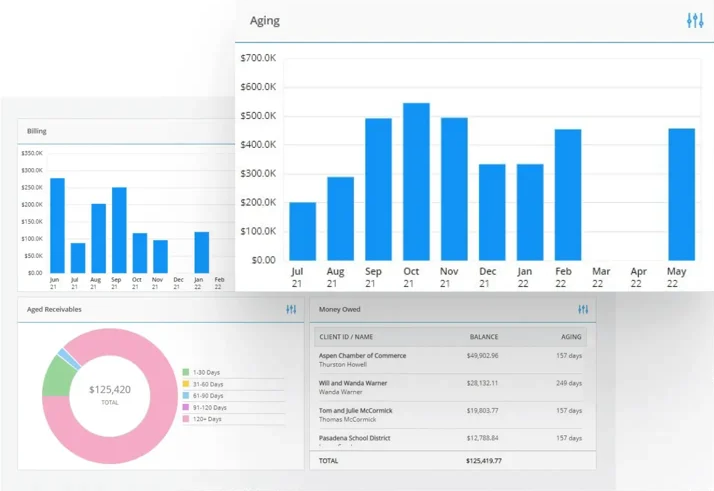
BQE CORE is built to help you make better decisions that enable greater efficiency, increase project revenue, and improve project outcomes.
Book a Free Demo







.png?width=100&height=100&name=Homepage-SourceForge%20(1).png)

Today, over 50,000 users trust BQE's award-winning software to streamline their business processes while offering groundbreaking insights that grow their firm and boost their profits. Check out what our customers have to say about BQE CORE.

Watts & Browning Engineers switches from clunky, outdated software to BQE and regains hours in their busy day.
Read more
The W2 Group receives deeper insights into which projects and clients are the most profitable by using BQE.
Read more
Infinity Engineering Consultants uses BQE to scale new company growth and manage multiple complex projects.
Read moreBQE CORE delivers more accessible, actionable data that better benefits your team to make smarter decisions — at every level of your firm.
Request demo



Streamline the back end of your firm for a more comprehensive view of your business.
View metrics in real-time to improve efficiency and keep projects on track.
Manage financial reports and accounting all in one place.
Automate processes to keep the team more organized and efficient.
We’re an industry recognized all-in-one software solution that specializes in the unique needs of project-based firms, backed by a knowledgeable, dedicated support team who understands your goals, and can help chart the right path to achieve them more quickly.

We’d love to show you how we can help your firm achieve its full potential via a personalized, live demo.
Request Demo